Split your customer base into balanced territories, compare every area with data from official sources and plan each rep's visits, all on the same map.
Free to explore the map, no card needed. Territories from Pro, routes from Advanced.
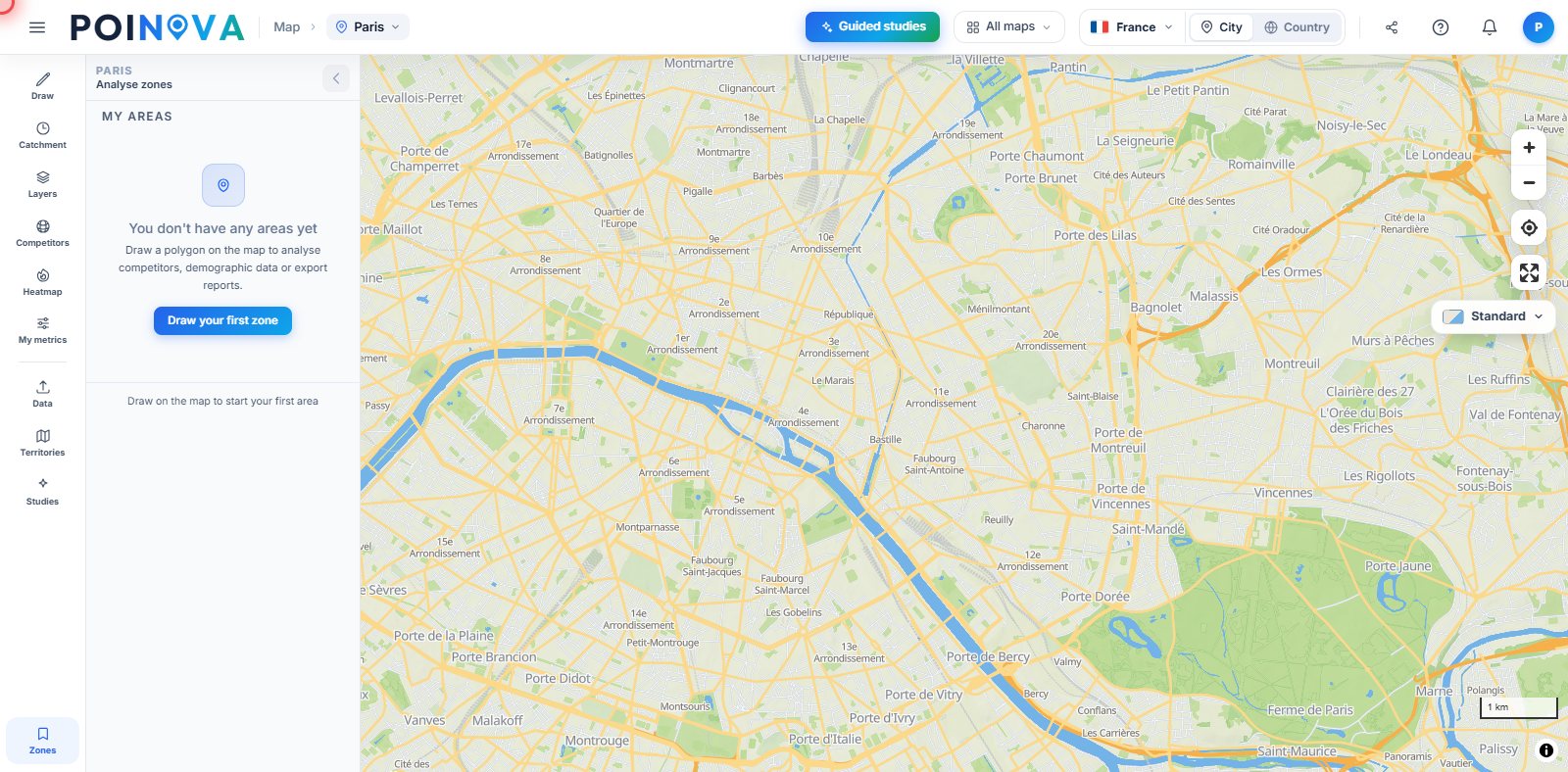
From your customer list to the territory split and each day's route, on one map and without building it by hand.
Upload your customers in Excel, CSV or KML and see them on the map and in a table you can filter, with the profile of the people who live in their area: income, education and age. On the Advanced plan we also draw a heat map of your customers weighted by one of your columns, such as revenue, and suggest neighbourhoods with the same profile as the ones where you already have customers and where you aren't present yet.
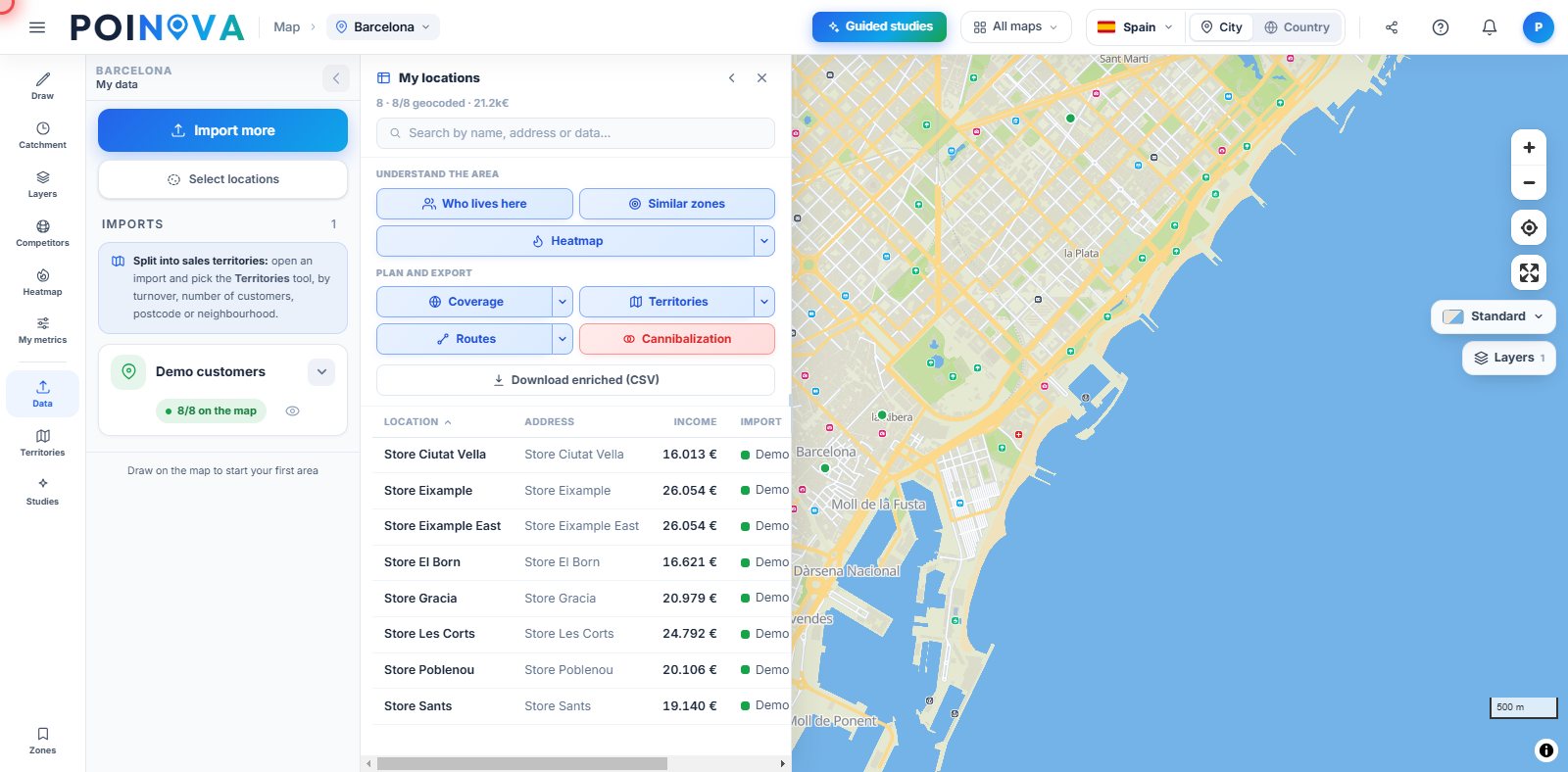
We split your customers into up to 8 territories at a time, balanced by number of customers, revenue, residents or land area. You name each territory after its rep, move a customer to another territory if needed and download the split as CSV or Excel. If the rep is a user on your team, you assign it to them and they see it highlighted when they open the map.
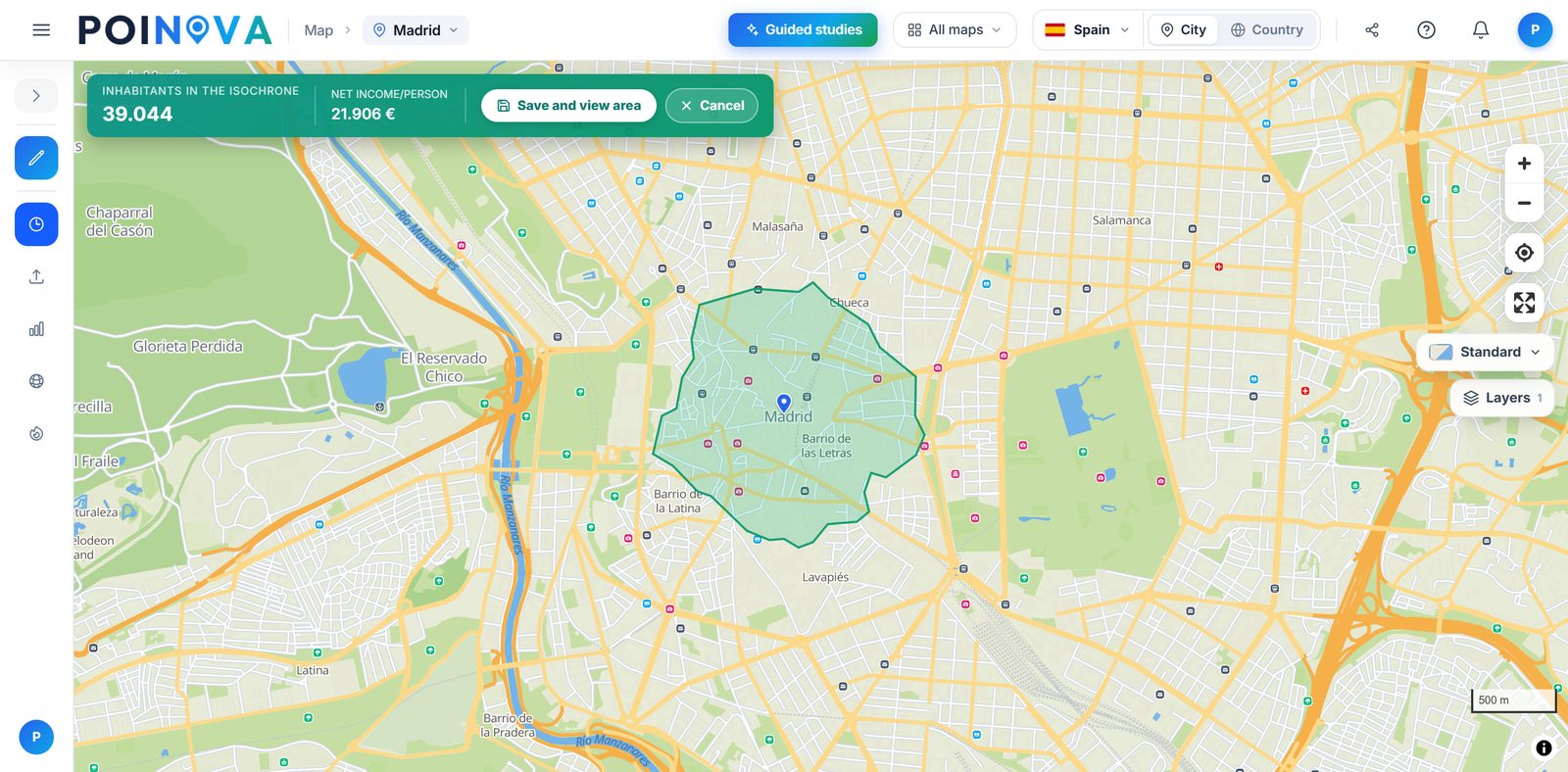
Mark a branch or a rep's starting point, choose the minutes on foot, by bike or by car and we draw how far you can get, with how many people live inside and their income. On the Pro plan we also draw it around all your locations at once, so you see which part of the map is left uncovered.
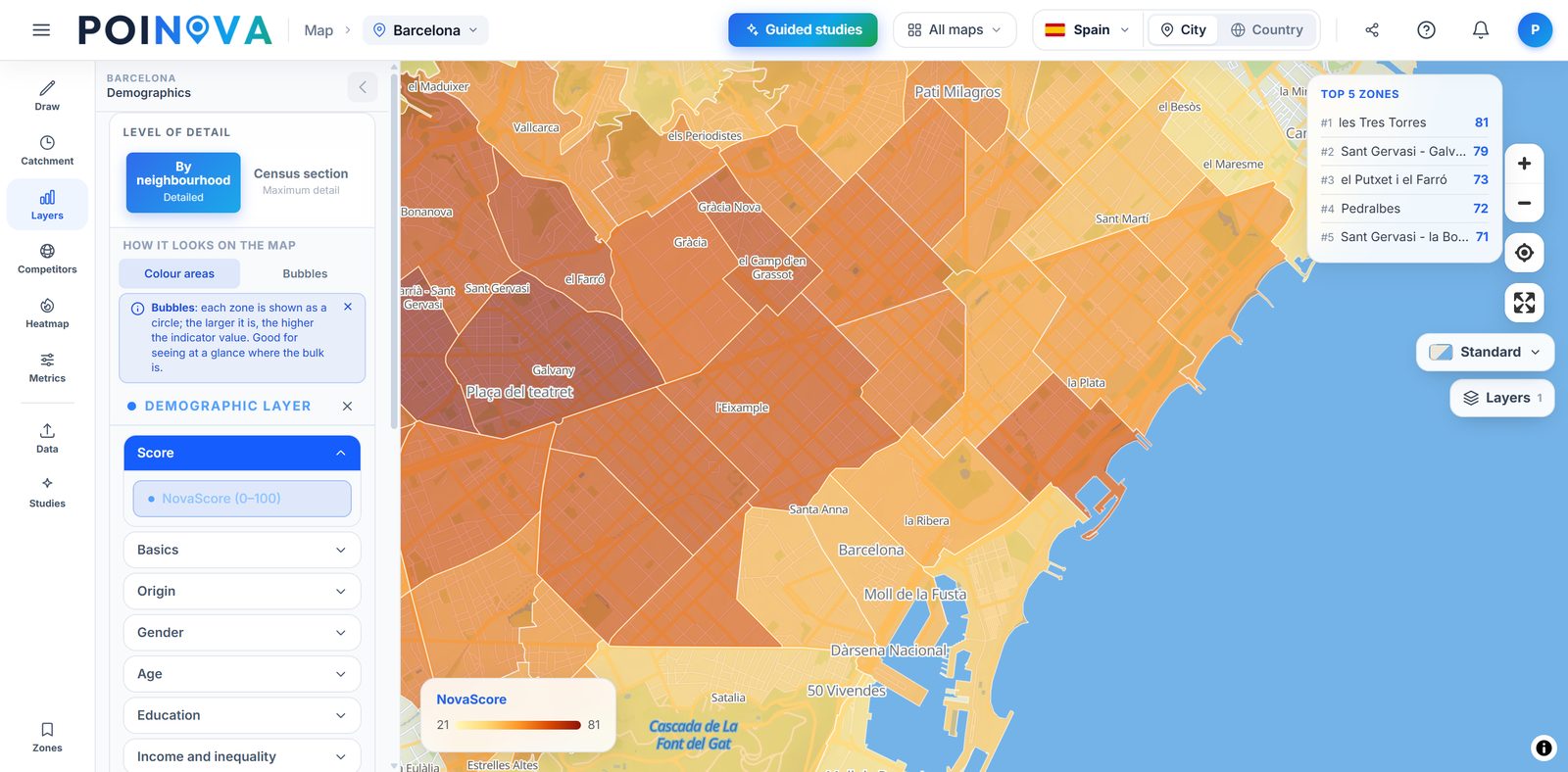
We shade every neighbourhood with the NovaScore, a 0 to 100 score of its conditions that combines income, higher education and density, so the whole team compares areas with the same yardstick. When you open an area, you tailor it to the type of business you choose and see where every point comes from. On the Advanced plan you also build your own indicators: cross your data with the area's data or create your own score with the weights you choose.
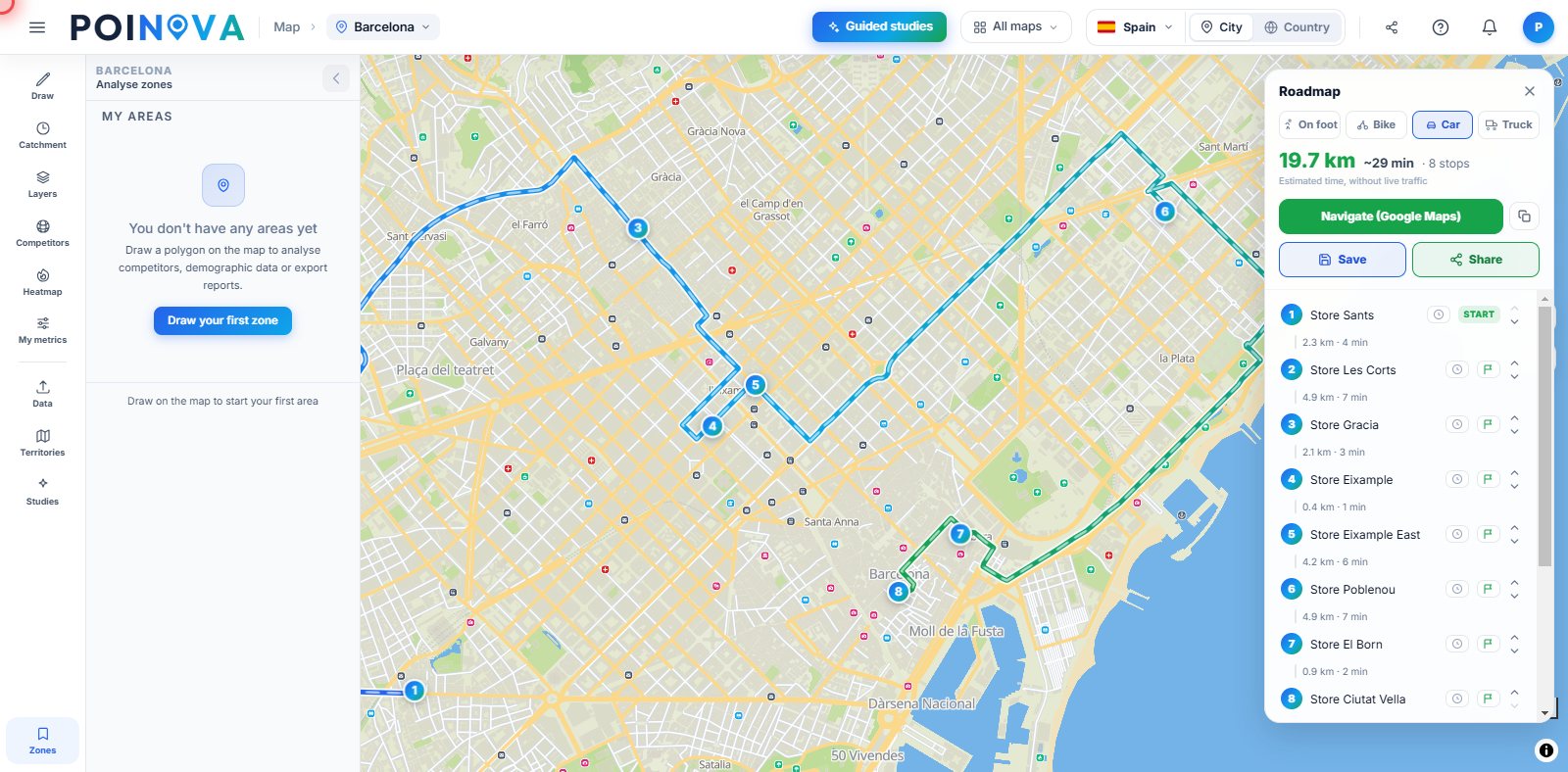
We put up to 100 stops in the fastest order on foot, by bike, by car or by truck, from the starting point you choose, taking each appointment time into account and, once you set your departure time, showing when you'll arrive at every visit. You send the route as GPX or through a link that opens without an account. With several reps, we split the stops across up to 8 of them, each with their own area and their own ordered route.
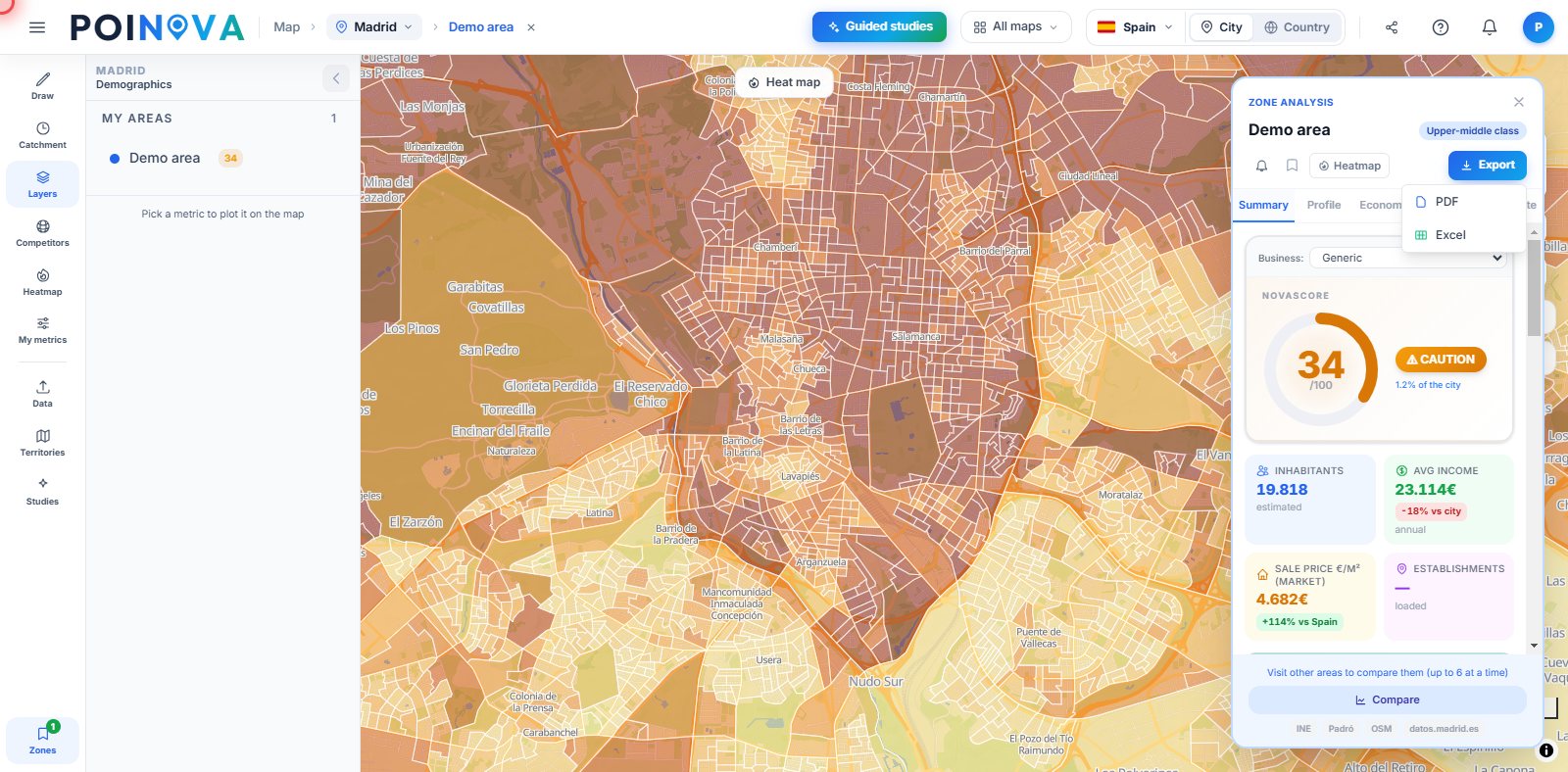
Download the report for each area or territory as PDF or Excel and share the map, with your territories and areas, through a read-only link, password-protected if you like. On the Enterprise plan, PDF reports for each area and for guided studies also carry your logo and colours.
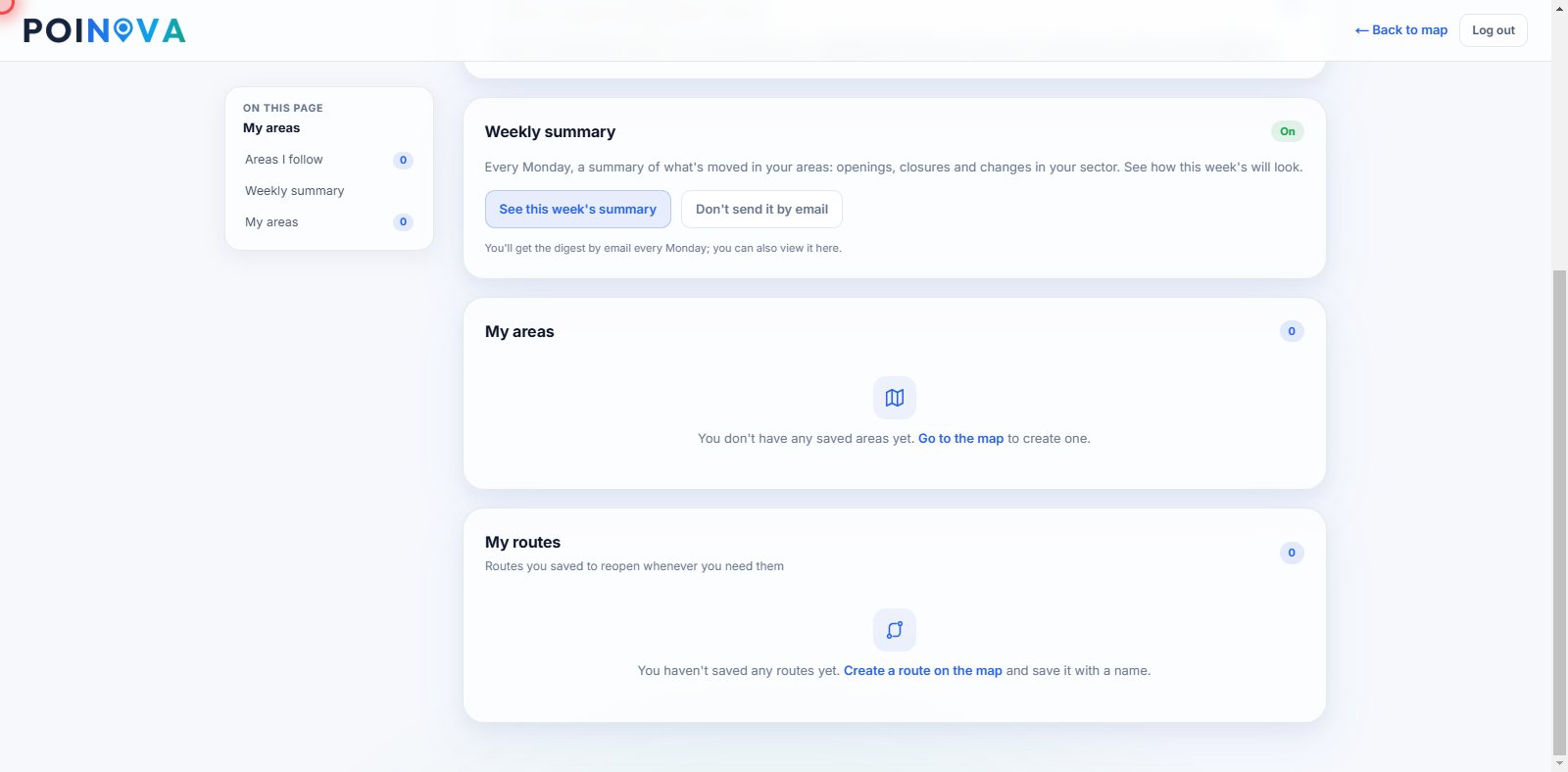
Follow your key areas and every Monday you get an email with the businesses that have opened and closed in them. On the annual Advanced plan you also set a limit on an area's figure, we email you when it is crossed and you see how its data has changed month by month.
Start free and upgrade when you need to. Each plan includes everything in the previous one.
Pro is where a sales team's work starts: upload your customer list, split it into territories, compare areas with the NovaScore and 60+ indicators, see competitors, export PDF and Excel reports and share the map through a link. On the annual plan you also follow your areas and get the summary every Monday.
Advanced adds visit routes: ordering each day's stops and splitting them across several reps. It also brings the heat map of your customer base, neighbourhoods with the same profile as the ones where you already have customers, your own indicators and every guided study. On the annual plan, email alerts when a figure crosses your limit and the history of each area.
Enterprise includes several users from the same domain, each with their own account and every feature: each rep logs in with theirs and sees the territory you assign them highlighted, and you add seats as the team grows. PDF reports for each area and for guided studies carry your logo and colours. Annual billing only.
| POINOVA | Corporate location platforms | Traditional consulting | |
|---|---|---|---|
| Detailed official data | Yes, and sourced (in full from Pro) | Depending on the plan | Depending on the project |
| Get started | On your own, no sales rep | Demo and sales | Meeting and proposal |
| Getting the result | In minutes | Days | Weeks |
| Price | Public, with a free plan | Depending on the provider | Depending on the project |
| GDPR · servers in the EU | Yes | Varies | Varies |
Indicative comparison by product category, not by specific brands.
Start free: see how many people live in each area and their income, and draw your team's patch. Territories come with Pro and routes with Advanced.
Try for free