Home · Industries · Franchises
The flagship use case

Geomarketing for franchises and growing chains

Every opening is an investment of thousands of euros. POINOVA gives you the area analysis you need to open methodically and replicate your model where it truly works, not wherever a vacant unit turns up.
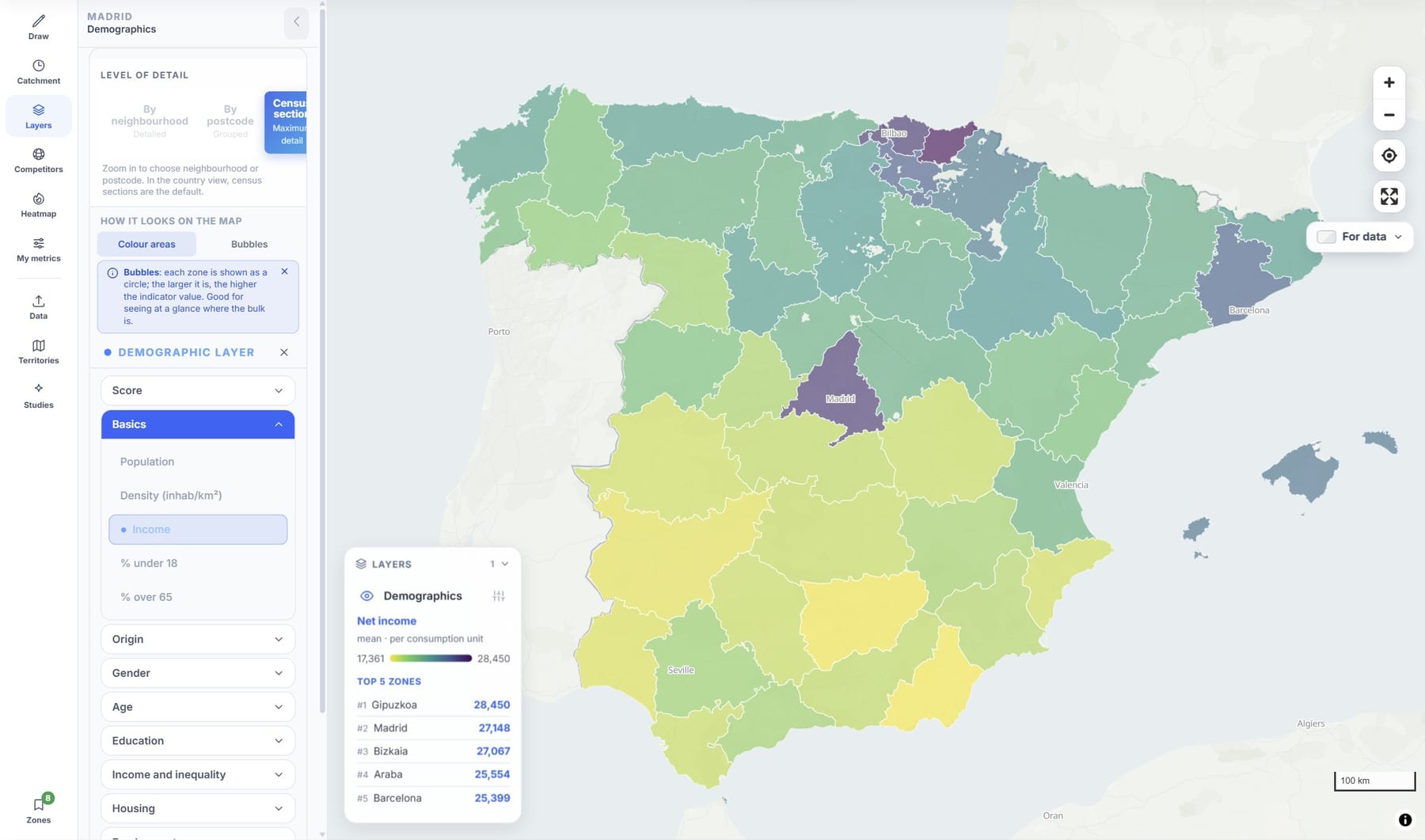
POINOVA map by province coloured by income, with the top five ranking
Official and open sources Cited in every report GDPR · servers in the EU Zero made-up data No sales rep required

Data from official public sources and open sources, cited in every report. When a figure is an estimate, we say so. View sources.

POINOVA map by province coloured by income, with the top five ranking

Analyse a whole country by zones: population and income by province, with a ranking by whichever figure you choose. Official data, in minutes.

What it solves for you

Expand without gambling on every opening

These are the headaches of a growing network, and how POINOVA clears them out of the way.

"Where do I open the next one?" Pro

Score any area from 0 to 100 and compare them all with the same yardstick. You decide with data, not hunches.

Comparing candidate sites takes weeks Pro

Put several areas side by side and compare them instantly with the same criteria. From weeks of consultancy to minutes.

Every site is measured differently

A single method for the entire network: same indicators, same rules. And a solid argument to convince future franchisees.

Why POINOVA

Serious data, without the price or the wait

 POINOVACorporate location platformsTraditional consulting
Detailed official dataYes, and sourced (in full from Pro)Depending on the planDepending on the project
Get startedOn your own, no sales repDemo and salesMeeting and proposal
Getting the resultIn minutesDaysWeeks
PricePublic, with a free planDepending on the providerDepending on the project
GDPR · servers in the EUYesVariesVaries

Indicative comparison by product category, not by specific brands.

Use cases

This is how you decide where to open your next franchise

From the map to the decision: you choose the next location by replicating the profile of the stores that already work for you.
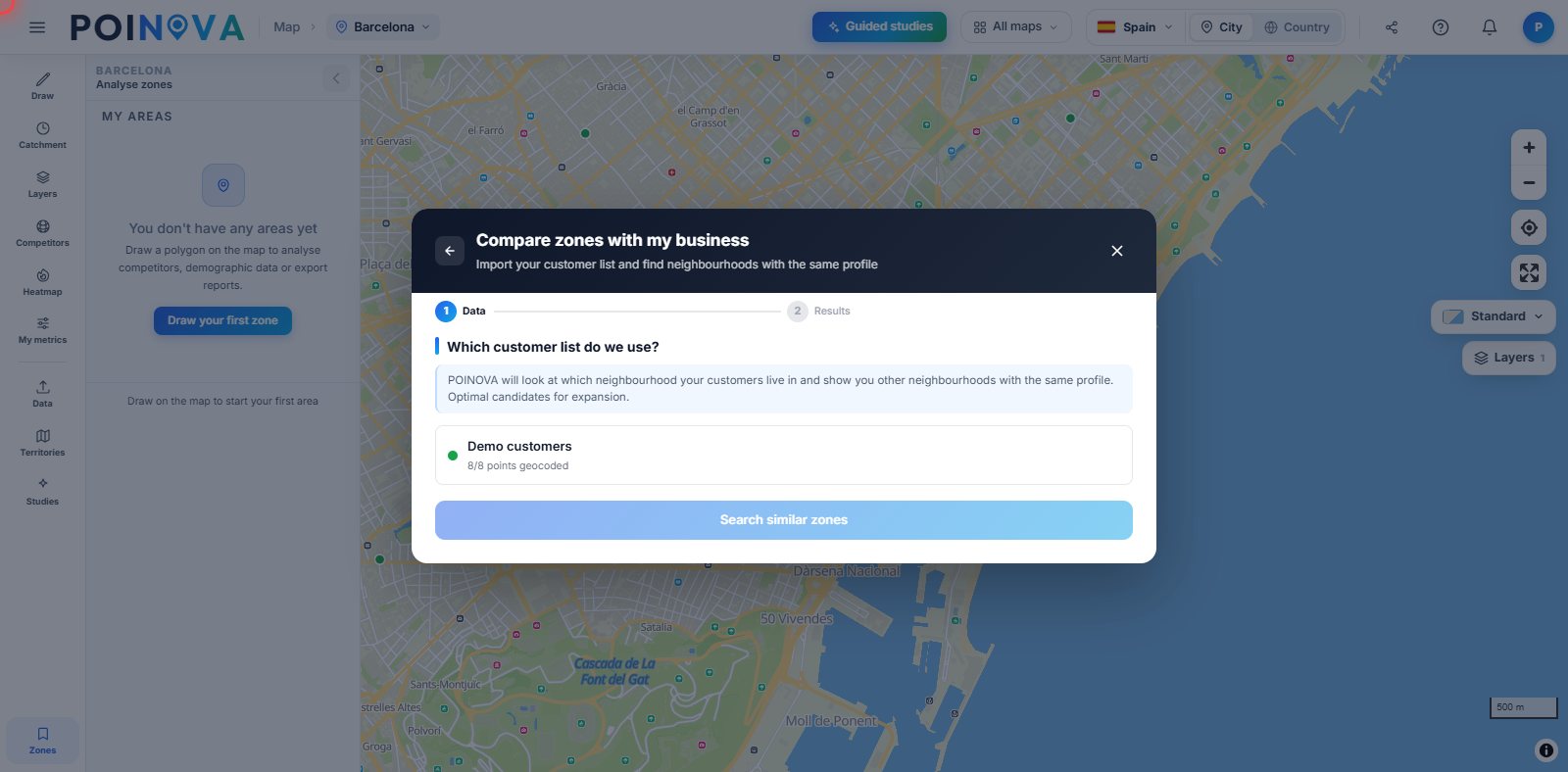
POINOVA map highlighting the areas with a profile similar to your best stores

Twin areas of your best stores Advanced

Take your most profitable stores and let POINOVA describe their area profile: population, income and competition. With the similar-profile search, it marks on the map the neighbourhoods that resemble them most, so you open where your model has already proven it works.

Expand without stealing your own customers

Before signing for a new store, draw the isochrones of your current stores and check whether they overlap with the candidate. That way you plan the opening knowing whether it will really add customers or eat into those of the store next door.

Clear territories for each franchisee Pro

Split the map into zones and assign each franchisee a territory with its population and potential clearly set out. Everyone knows where they can grow and you avoid clashes over customers between stores in the same network.

Frequently asked questions

Frequently asked questions about POINOVA for franchises

What can I do for free, and what needs the Pro plan?
Free, no card needed: a map with basic demographic data, population by area, country view by areas, drawing areas (2 isochrones a day) and up to 3 saved areas. From Pro: NovaScore and 60+ indicators, competitors and points of interest, PDF and Excel reports, guided studies and territories.
How do I split territories among franchisees?
On the Pro plan, you draw an area and we split it into territories by postcode or by zone, balanced by population, surface area or number of zones. You can also draw them by hand or split a whole country, and you see each one's population.
Can I keep track of which territories are available or sold?
Yes, on the Pro plan. Each territory has a status (available, in negotiation or sold) that is saved with the split. If you split by postcode, you can download an Excel file with each territory's postcodes, ready for the contract.
Can I see whether a new location overlaps my current ones?
Yes. You draw and save the walking, cycling or driving area of each location and see on the map where they overlap. The free plan includes 2 isochrones a day and up to 3 saved areas; to check your whole network you need a paid plan, from Pro.
Where does the data come from?
From official public sources and open sources, cited in every report. When a figure is an estimate, we say so. On the Sources page you'll find every figure with its source and date.

Replicate what works, with data

Start free and analyse your first area.

Try for free

Included in the free plan: Map with basic demographic data · Population by area · Country view by areas · Draw areas (2 isochrones a day) · Up to 3 saved areas.
Not included (unlocks when you upgrade): NovaScore and 60+ indicators · Competitors and points of interest · PDF and Excel reports · Guided studies · Territories.
See plans
60+
indicators per zone, from Pro
0–100
NovaScore per location, from Pro
min.
not weeks
Franchises & expansionTry for free